

herdr mobile client
Every coding agent on your machines, sorted by who needs you.
Control Claude Code and Codex from your iPhone or iPad. Agents run on your own Hosts with herdr; Heeler connects over SSH.
Plain SSH to herdr’s own API. No server changes. Your keys stay on your phone, and your alerts stay sealed.
[01] Pair
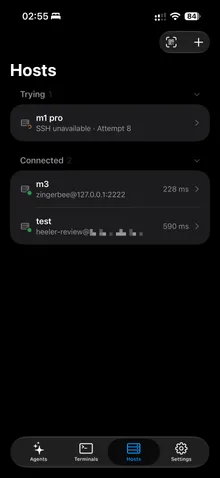
Scan once. The machine is a Host.
The pair action opens a Pairing Code QR. Scan it and the machine is added as a Host. Nothing to type.
- 01Run heeler.pair
Enter issues a one-time ticket that lasts 120 s.
- 02Scan the Pairing Code
The phone checks the Host key before it sends anything.
- 03Host saved
Only the public key travels. The Device Key stays on your phone.
# on the machine running herdr
herdr plugin install ZingerLittleBee/Heeler --ref plugin --yes
herdr plugin action invoke heeler.pair
[02] Connect
Plain SSH. Every Route races to one trusted Host.
The app speaks herdr's JSON API, newline-delimited JSON over a Unix socket, through SSH. SSH access plus a running herdr server is the whole prerequisite.
- 01Direct goes first
Direct starts at 0 ms and the rest 400 ms later. The first trusted key wins.
- 02Wrong key, turned away
Another machine on the Direct address shows a different key and is rejected.
- 03At home, Direct wins
On the home Wi-Fi, Direct answers within 400 ms, so the rest never start.
- 01Heeler.appiPhone
- 02jump hostoptional · VPS loopback
- 03sshdstream-local forwarding
- 04herdr.sockndjson rpc + events
- 05agent panepty · takeover
[03] Watch
An agent console, not a terminal app.
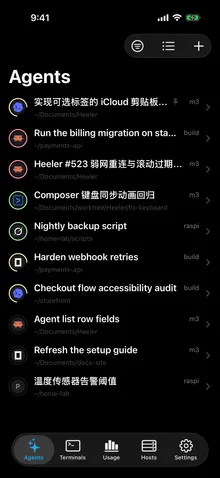
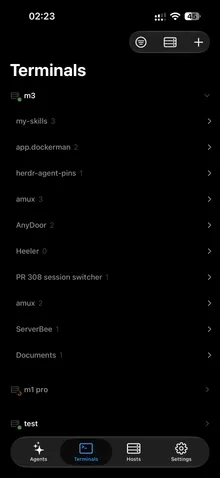
Monitor multiple coding Agents across your machines in one live list, filterable by Host. Blocked Agents come first, so you can see who needs a reply without opening every terminal.
- 01Blocked comes first
An Agent waiting on you sorts to the top, right under your Pins.
- 02Answer it
You answer in its live terminal. herdr reports it Working and it moves down.
- 03The next one rises
When droid goes Blocked, it takes the top.
[04] Steer
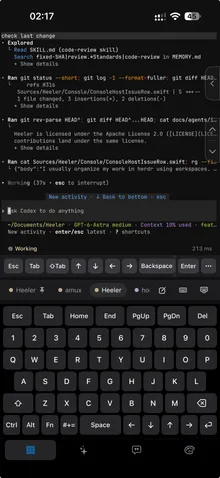
Read and steer the Agent’s real live terminal.
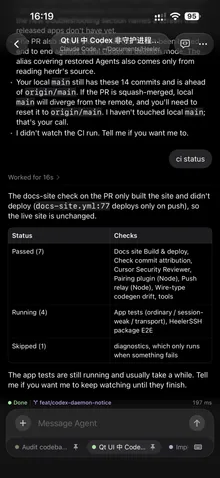
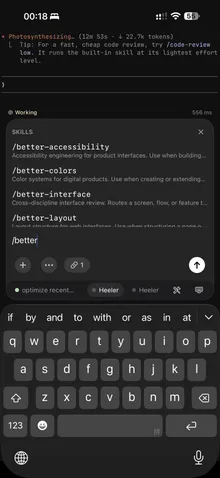
Send instructions to Claude Code or Codex from your iPhone or iPad, using the live terminal or native Chat. Draft locally with autocorrect, IME, or dictation, then send the complete message over SSH.
- 01Write a draft
Typing edits the draft on your phone. Nothing is sent.
- 02Add an image
The photo goes to the Host over SFTP. Only its path enters the draft.
- 03Send
One agent.prompt delivers the draft and presses Enter.
[05] Review
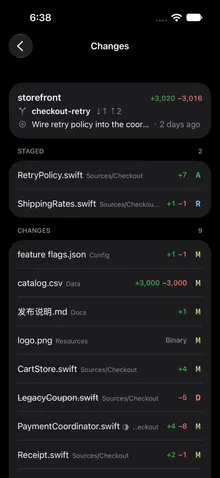
See what changed. git runs on the Host, every time you look.
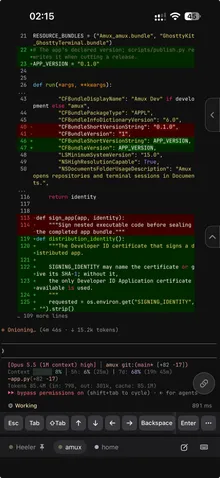
Changes lists every uncommitted file in the Checkout, whichever Agent wrote it; each read runs git on the Host, and a file’s diff opens as its own page.
- 01Pull to refresh
Each pull runs git on the Host. Only its text comes back.
- 02Tap a file
Its diff opens as its own page, read only then.
- 03Insert a line reference
The file and line go into the Agent’s draft. Nothing is sent.
[06] While you’re away
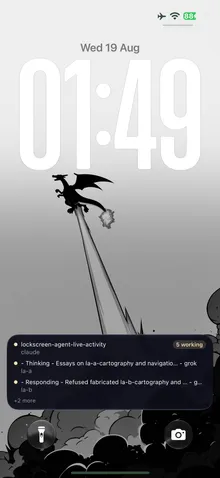
Leave Heeler. The Lock Screen keeps watch.
Get encrypted notifications when Claude Code, Codex, or another Agent goes Blocked or Done. After Heeler closes SSH in the background, alerts and Live Activity updates arrive as sealed pushes. Enable Agent notifications.
- 01Tap an alert
Heeler opens and reconnects over SSH.
- 02Leave Heeler
SSH closes after a 20 s grace. Only pushes reach you now.
- 03Sealed alerts arrive
The Push Relay and APNs see only the outside.
[07] Usage
Know your limits before an Agent runs into them.
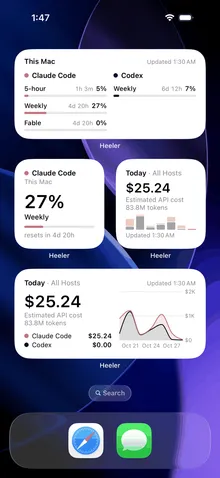
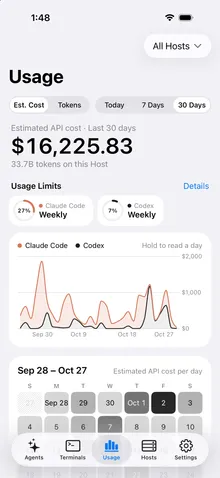
Check Claude Code and Codex Usage Limits and reset times with Home Screen and Lock Screen widgets. In Usage, see up to 30 days of Token Usage and estimated API cost across Hosts. Set up Usage widgets.
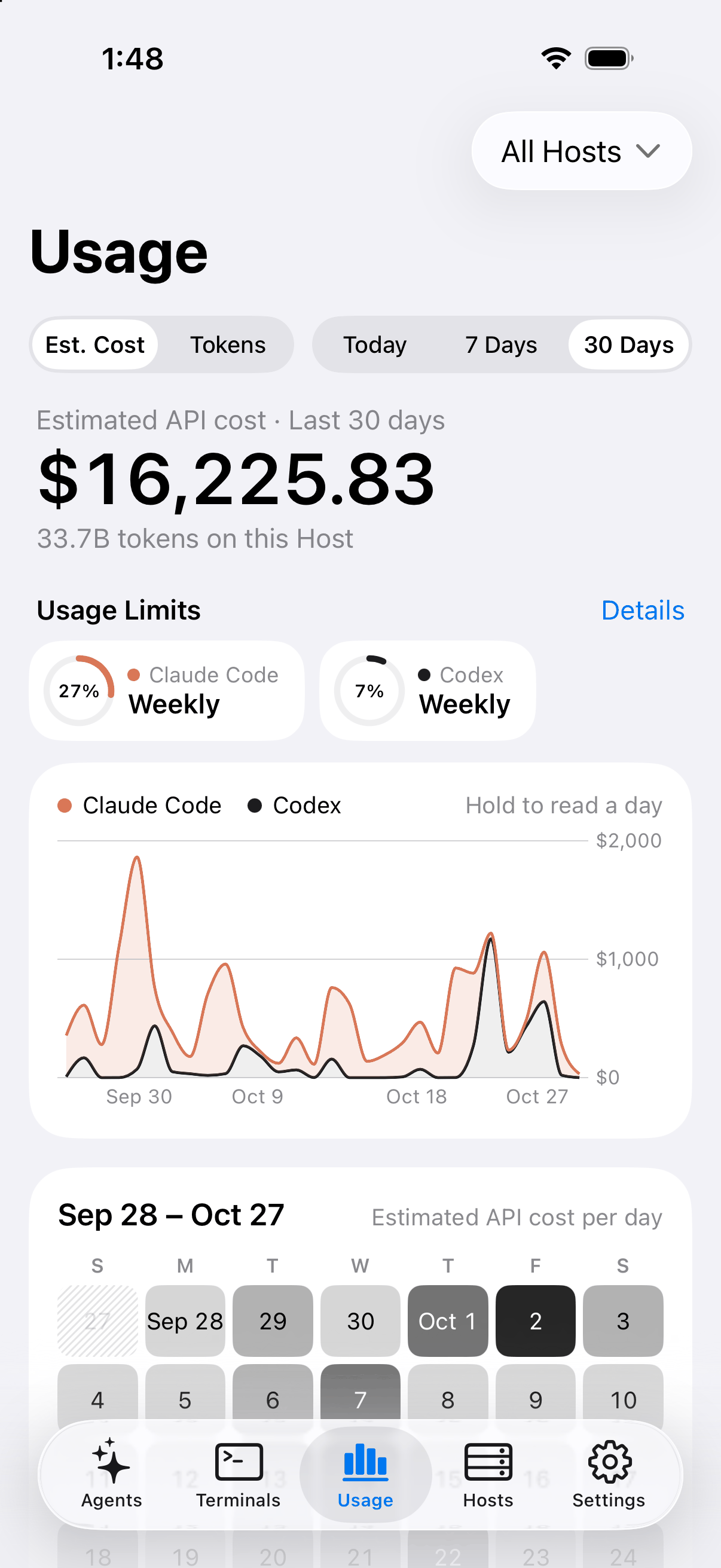
Usage, across every Host 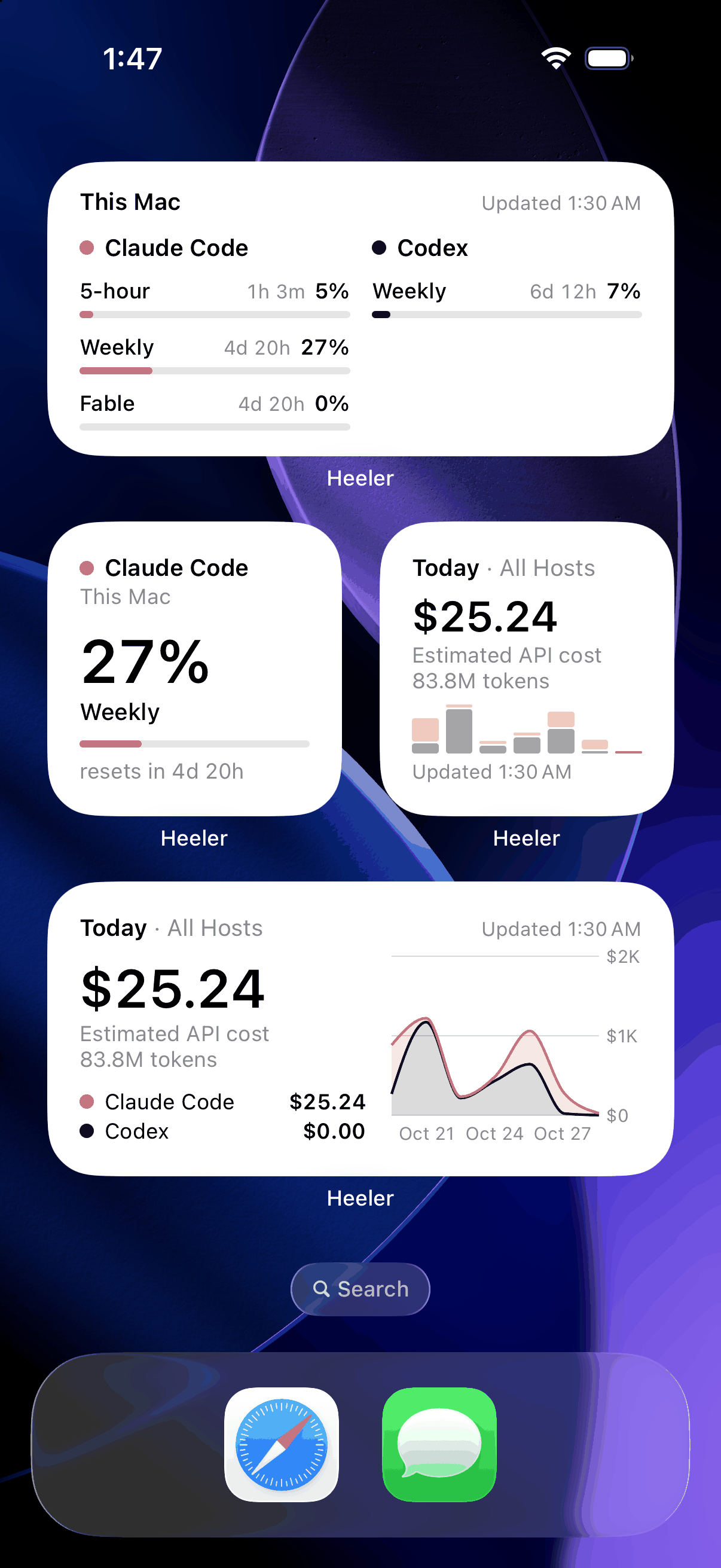
Home Screen widgets 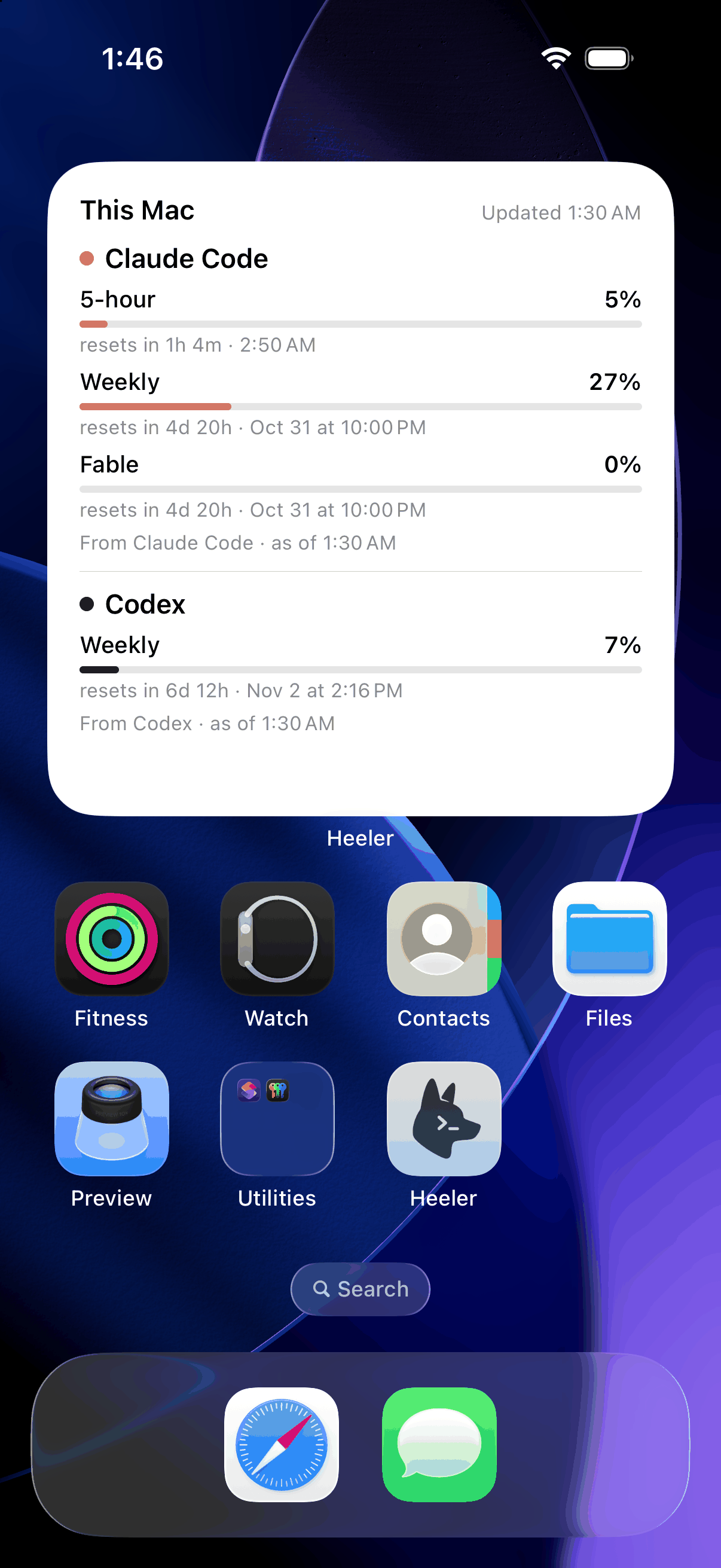
Every window and its reset 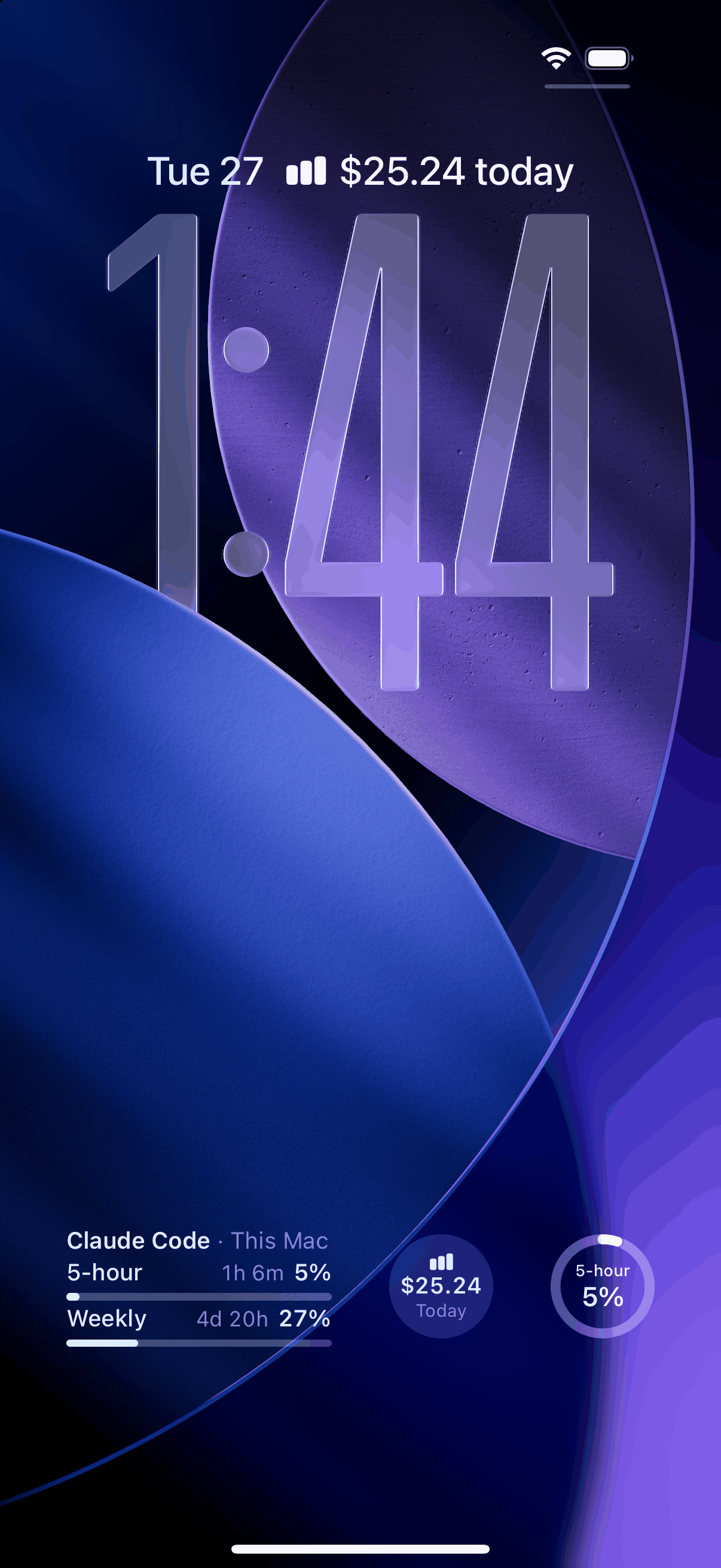
Lock Screen widgets
Security
Keys stay on device. The relay reads only ciphertext.
- 01
Device Key in the Keychain
An Ed25519 Device Key is generated on device during QR pairing; the private key stays in the Keychain, and the Pairing Code pins the host key fingerprint.
- 02
End-to-end encrypted notifications
The relay sees the device token, source IP, request timing, and ciphertext, but cannot read the notification.
- 03
Verified at both hops
Behind a Jump Host, host keys are verified independently at each hop.
- 04
No new surface area
No herdr server changes and no extra packages. The Host’s SSH server must permit stream-local forwarding, the OpenSSH default.
From the source
Four numbers Heeler runs on. Each one links to its line.
120s
A pairing’s single-use Bootstrap line, then it expires
pairing-session.js:25400ms
Direct Routes race alone before the rest join
HeelerSSHTransport.swift:3915
Loaded terminal connections per Host, at most
TerminalRetentionBudget.swift:3820s
SSH stays open after you leave Heeler, then only pushes reach you
AppActivityCoordinator.swift:97
FAQ
Questions, answered.
What do I need on the machine?
Node >= 20, herdr >= 0.7.5, and an OpenSSH server enabled. On macOS that is System Settings > General > Sharing > Remote Login.
Does it work on iPad?
Native iPad support is restored in 0.1.8, with Magic Keyboard shortcuts, multiple windows, and drag and drop. See the iPad screenshots.
What happens to the terminal I already had open?
Attach and Reattach use herdr takeover mode, disconnecting the previous terminal owner when necessary.
Is Heeler an official Claude Code, Codex, or herdr app?
No. Heeler is an independent, open-source app on the App Store. It is not affiliated with Anthropic, OpenAI, or the herdr project.
Where can I read the design decisions?
In docs/adr/. The transport story in particular is not obvious.
Add a machine
Three steps. Nothing to type.
01 Get the app
On your iPhone or iPad.


02 Show a Pairing Code
On the Mac or Linux machine, in a herdr pane:
herdr plugin install \
  ZingerLittleBee/Heeler \
  --ref plugin --yes
herdr plugin action invoke heeler.pair
03 Scan it
In Heeler, open Hosts and tap Scan to Pair. The machine is added as a Host.
Source
Open source, Apache-2.0.
Heeler is built in public and shaped by daily driving. Clone it, run it on the simulator, and send back what breaks.
# run it on the simulator
brew install xcodegen
git clone https://github.com/ZingerLittleBee/Heeler
cd Heeler && make sim